Start here
Handing a spreadsheet to an assistant and asking for a formula, a pivot table, or 'what changed month to month' is now a documented feature, not a workaround. The task changes what a non-technical user needs to check: not whether the assistant can write a formula, which it usually can, but whether the formula does what the cell needs, applied to your data rather than a generic case.
What the documents say
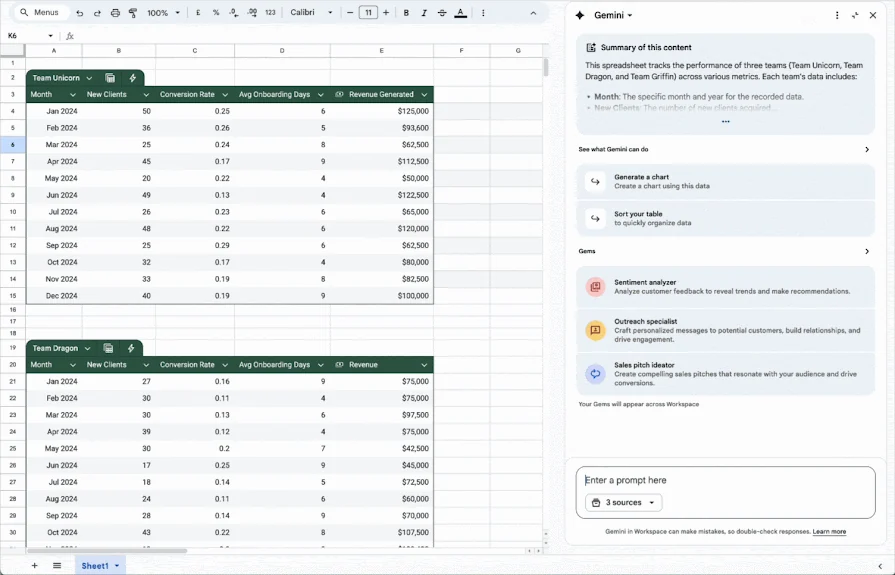
OpenAI's data analysis documentation states that ChatGPT can analyse uploaded files, answer questions about the data, and create tables or charts, and it gives explicit preparation advice: descriptive column headers, one record per row, and plain-language names, while warning against multiple tables on one sheet. It also states outright that when the tool uses Python for analysis, a user should 'review the generated code, outputs, and assumptions before relying on the result' — the clearest documented instruction among the three vendors. Google's Gemini in Sheets page describes formula generation from a plain-language prompt and an error-repair 'Fix' option, but states plainly that a chart it generates 'doesn't link or respond to changes in the original data set,' so an updated spreadsheet leaves the picture stale. Anthropic's file creation and code execution page describes an 'isolated, sandboxed container' for the code Claude runs, separate from the user's own systems, with network access on or off depending on the plan — a design detail that explains why the tool cannot reach outside data on its own.
Check this
Open the formula or the code the assistant used, not just the output cell. All three documented workflows either show or can be asked to show their working, and the OpenAI page explicitly recommends this; a formula that references the wrong column or a code step that filters the wrong condition is visible at that step even to someone who cannot write the formula from scratch. Ask a second time with 'use this exact method' if the first attempt picked an approach you did not intend, since the OpenAI documentation notes the tool may choose a method that does not match your intent on the first try.
What holds and what fails
The workflow holds for well-structured data: one table, clear headers, a specific question. It fails, by the vendors' own descriptions, on scanned or image-based tables, where exact values are not reliably extracted, and on charts that need to track a live spreadsheet rather than a snapshot. Sandboxing keeps the code from reaching outside systems, which protects you from one risk while doing nothing about a wrong formula applied correctly to your data — that check is still yours.
- Structure data with one header row and one record per row before uploading.
- Read the formula or code the assistant used, not only its output.
- Rebuild any chart after the source data changes rather than trusting the old one.
A sandbox keeps the computation contained; it does not confirm the computation was the one your spreadsheet needed.
Sources & reading trail
States ChatGPT's Python-based data-analysis workflow, spreadsheet-preparation guidance, and the instruction to review generated code before relying on the result.
Source published: Not established · Retrieved: 16 September 2026
States Gemini in Sheets can write formulas and offer a 'Fix' suggestion for errors, and that generated charts do not stay linked to source data.
Source published: Not established · Retrieved: 16 September 2026
States Claude's file creation and code execution runs in an isolated sandboxed container, with network access varying by plan.
Source published: Not established · Retrieved: 16 September 2026
Documentation, regulator guidance and studies establish the record; the checks and the boundary are AI Use Field Guide editorial analysis. This retrospective draft does not imply the site published on the event date.