Start here
An assistant account is not a throwaway login; it can hold a chat history, connected files, and a payment method. The question is what settings actually protect it, and the honest answer is that assistants do not all secure accounts the same way. This guide compares what two vendors' own help pages state as retrieved on 16 September 2026, rather than assuming a uniform standard.
What the documents say
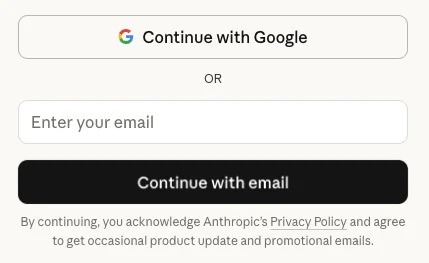
Google's 2-Step Verification page describes a familiar layered model: a password plus a second step, from a menu including passkeys, hardware security keys, an authenticator app, or a text or call code, framed as protection 'in case your password is stolen.' It notes passkeys and security keys specifically guard against phishing, and Google's own prompt method helps against SIM-swap attacks that defeat text codes. Anthropic's Claude support article on logging in describes a structurally different model: there is no password at all. A Claude account is accessed either through 'Continue with Google,' inheriting that Google account's security, or a one-time email link sent to the account's address. The article states 'it's not possible to create a dedicated password for your Claude account at this time,' and describes no separate two-factor step on top of the email link.
Check this
The check here is not 'did I turn on two-factor,' since that does not apply the same way to a passwordless account. For a Google account, or any account offering traditional 2-Step Verification, the setting worth turning on is what the page names: a passkey or authenticator app rather than a text code, described as more exposed to SIM-swap attacks. For a passwordless account like Claude's, the equivalent check differs: since the email link controls access, the real point of control is the security of that inbox, including whether it has its own strong second factor.
What holds and what fails
Layered 2-Step Verification holds precisely because it adds an independent factor beyond something typed; it fails if a person enables only the weakest option, a text code, when a phishing-resistant passkey is available on the same account. A passwordless, email-link design holds differently: it removes the risk of a reused or weak password entirely, since none exists to guess or leak. It fails if a reader treats 'no password' as 'not secured,' when its security has simply moved to whatever protects the linked email account.
- If your assistant account uses traditional sign-in, enable a passkey or authenticator app rather than a text code alone.
- If your assistant account is passwordless, secure the linked email account with its own strong second factor.
- Check your specific assistant's current help pages, since login methods and security options change.
The lesson is not 'always turn on two-factor,' since one of these designs does not offer it in the traditional sense; it is to identify which model your account uses and secure the actual point of control, whether the account itself or the inbox behind it.
Sources & reading trail
Describes Google's layered second-factor options and which resist phishing and SIM-swap attacks, as retrieved.
Source published: Not established · Retrieved: 16 September 2026
States that Claude accounts are passwordless, accessed via Google sign-in or an emailed one-time link, as retrieved.
Source published: Not established · Retrieved: 16 September 2026
Documentation, regulator guidance and studies establish the record; the checks and the boundary are AI Use Field Guide editorial analysis. This retrospective draft does not imply the site published on the event date.